Offering creation
Launch your first tokenized offering on Centrifuge in five steps.
Step 1: Create your pool
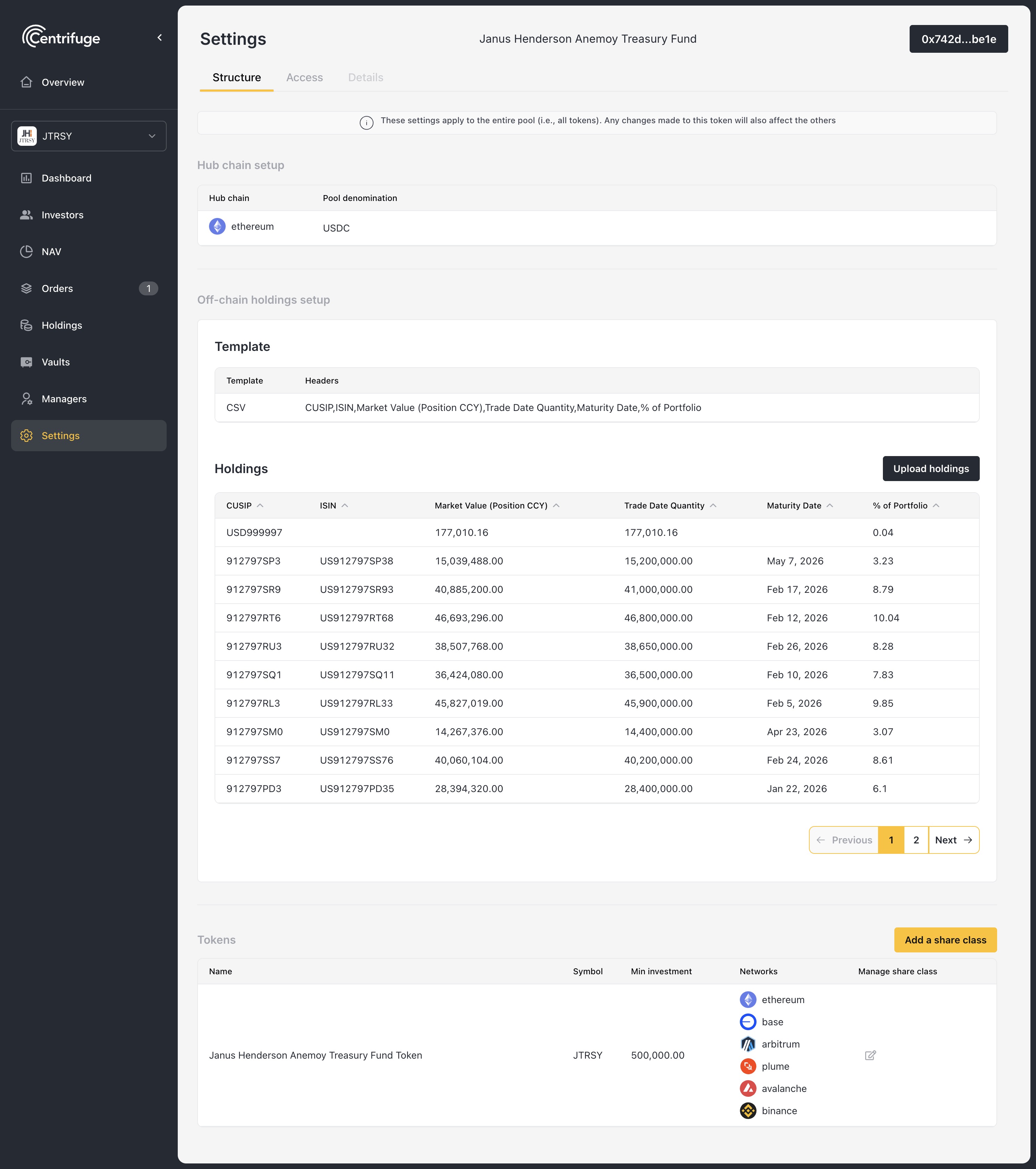
Go to manage.centrifuge.io and configure:
- Share class - Name, symbol, minimum investment
- Restrictions - Who can hold tokens (whitelist, open, etc.)
- Hub Managers - Addresses with full admin access
Deploy when ready.
Step 2: Deploy vaults
Vaults are where investors deposit. Create one per network you want to support:
- Navigate to Vaults
- Click Add vault
- Choose network, asset, and vault type
- Deploy
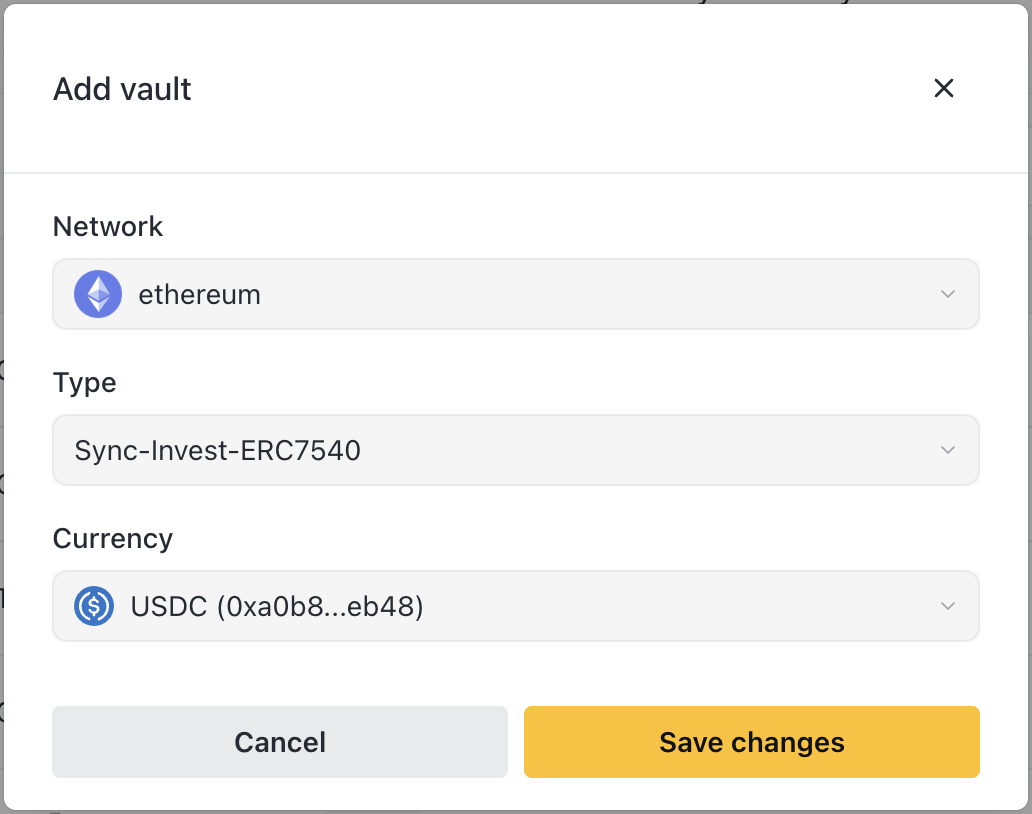
Vault types:
- Async - You approve deposits before issuing shares
- Sync-Invest - Instant deposits (you still approve redemptions)
Step 3: Set initial NAV
Set your starting price before accepting investors:
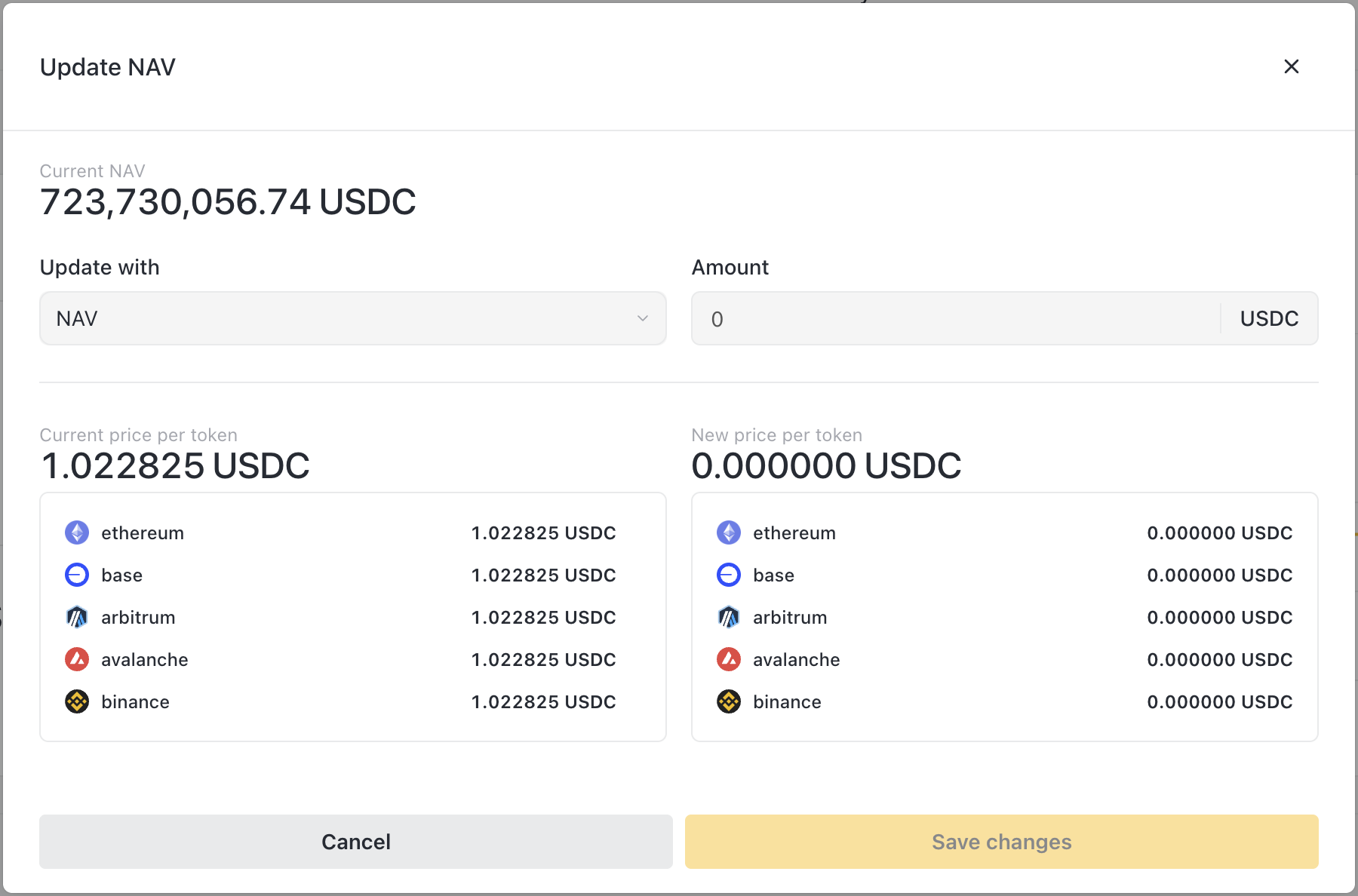
- Navigate to NAV
- Click Update NAV
- Enter initial price (typically $1.00 for new funds)
- Submit
→ Learn more: Token Management
Step 4: Add your team
Configure who can do what:
| Role | What they do |
|---|---|
| Hub Manager | Everything - NAV, orders, investors, settings |
| Balance Sheet Manager | Move funds, direct issue/revoke |
| Relayer | Withdraw to off-ramp addresses |
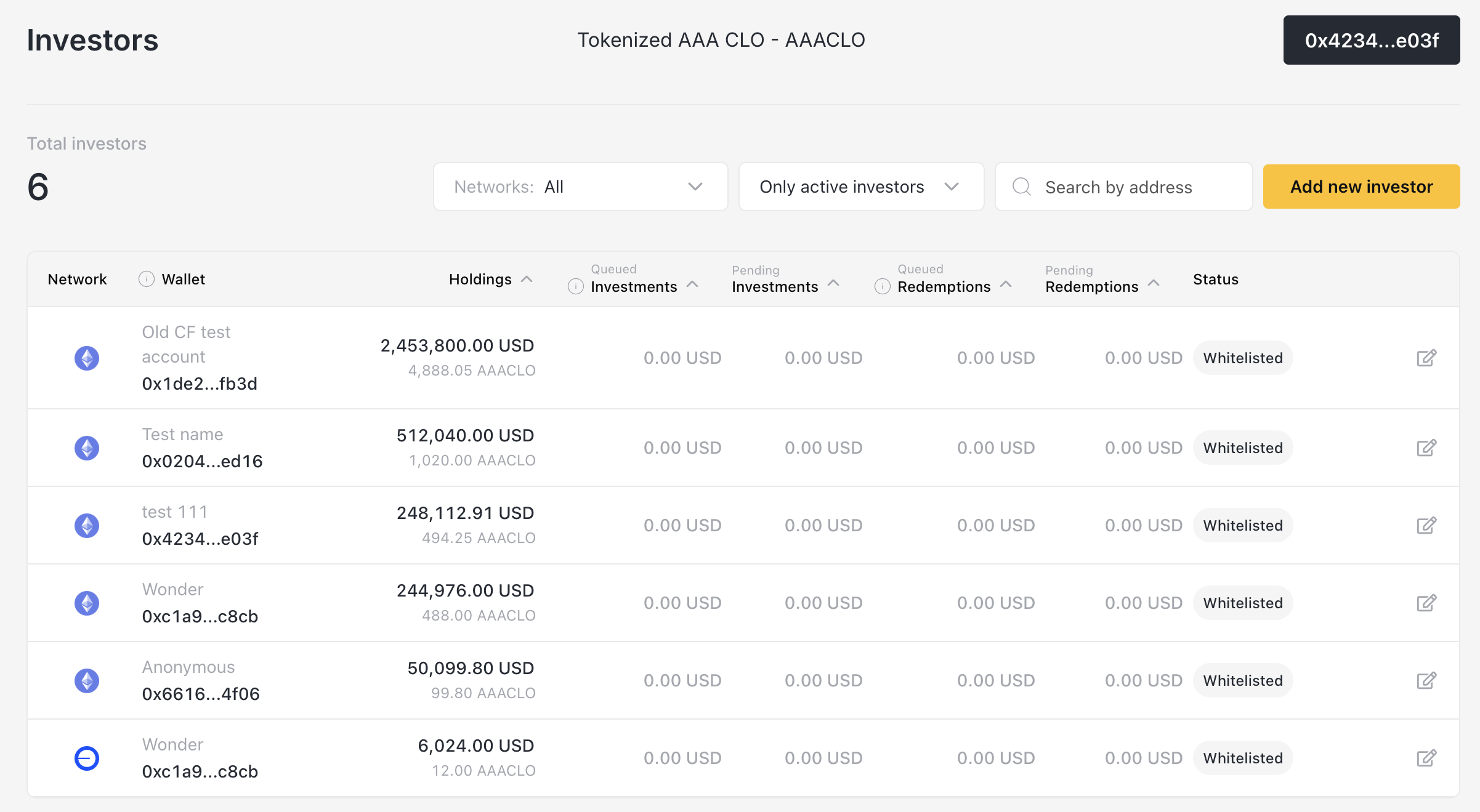
Step 5: Whitelist investors (if permissioned)
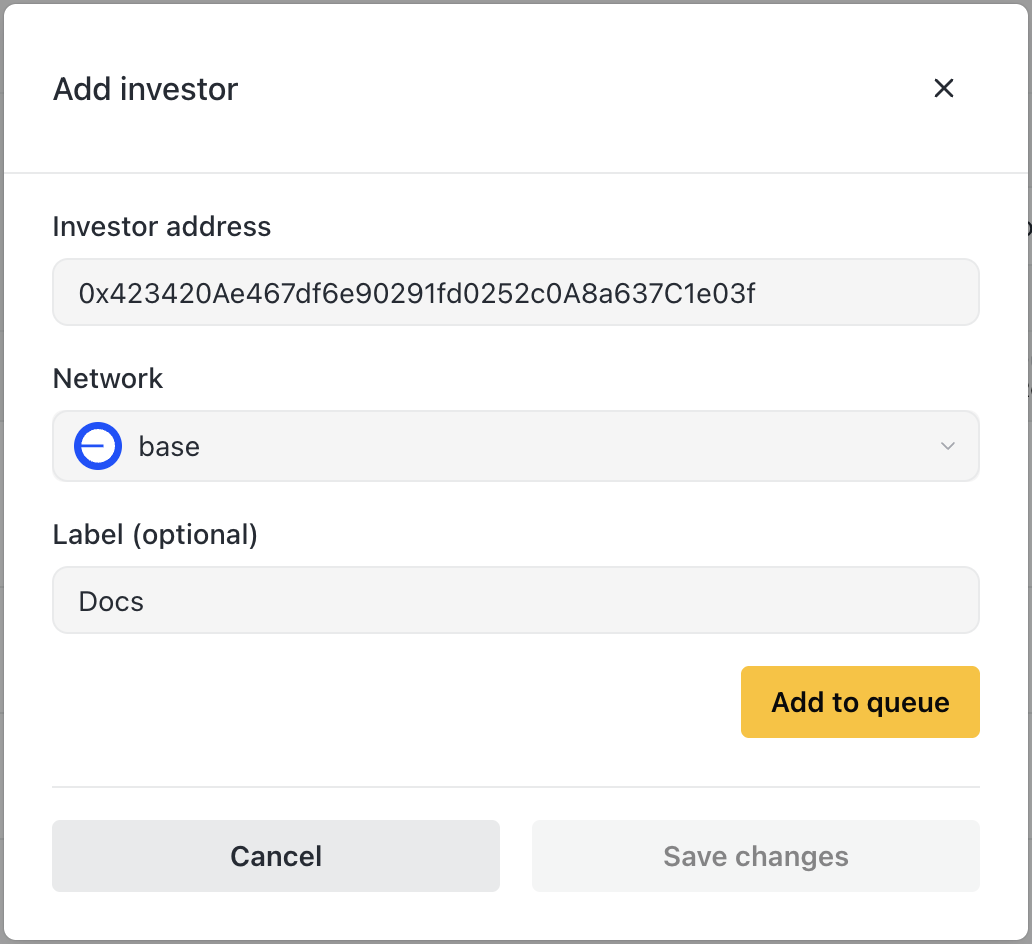
- Navigate to Investors
- Click Add new investor
- Enter wallet address, network, and label
- Save
→ Learn more: Investor Management
You're live
Once investors deposit, your workflow is:
- Update NAV regularly (daily/weekly based on your assets)
- Approve investments and issue shares
- Approve redemptions and process payouts
- Manage liquidity to ensure you can pay redemptions
Next steps
| Guide | What you'll learn |
|---|---|
| Investor Management | Onboarding → investing → redeeming |
| Token Management | How share pricing works, when to update |
| Distribution Management | Holdings, on/off-ramp, paying redemptions |