Distribution management
How funds flow through your pool and ensuring you can always pay redemptions.
Why liquidity matters
When investors redeem shares, you pay them from your holdings, onchain escrow accounts that hold assets (USDC, etc.) on behalf of your pool.
If holdings are empty when someone redeems, you can't process the payout.
Your job: Ensure sufficient liquidity to meet redemption demand while efficiently deploying capital.
How funds flow

Holdings: Your liquidity pool
Holdings are onchain escrow accounts, one per asset per network.
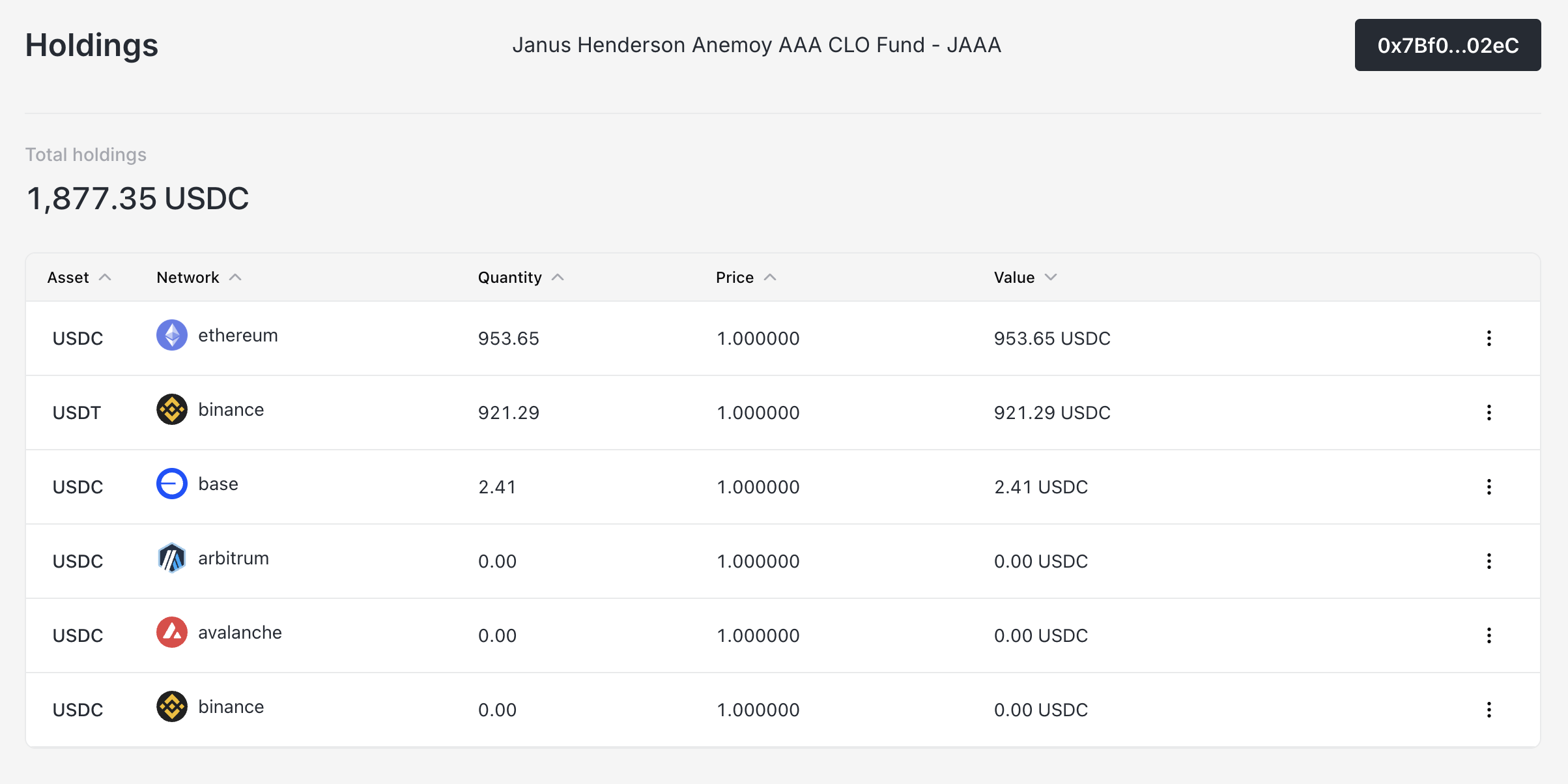
Example holdings table:
| Asset | Network | Balance | Value |
|---|---|---|---|
| USDC | Base | 500,000 | $500,000 |
| USDC | Arbitrum | 250,000 | $250,000 |
| USDT | Ethereum | 100,000 | $100,000 |
Total holdings: $850,000
Viewing holdings
- Navigate to Holdings
- See all assets across all networks
- Total value shown at top
Depositing to holdings
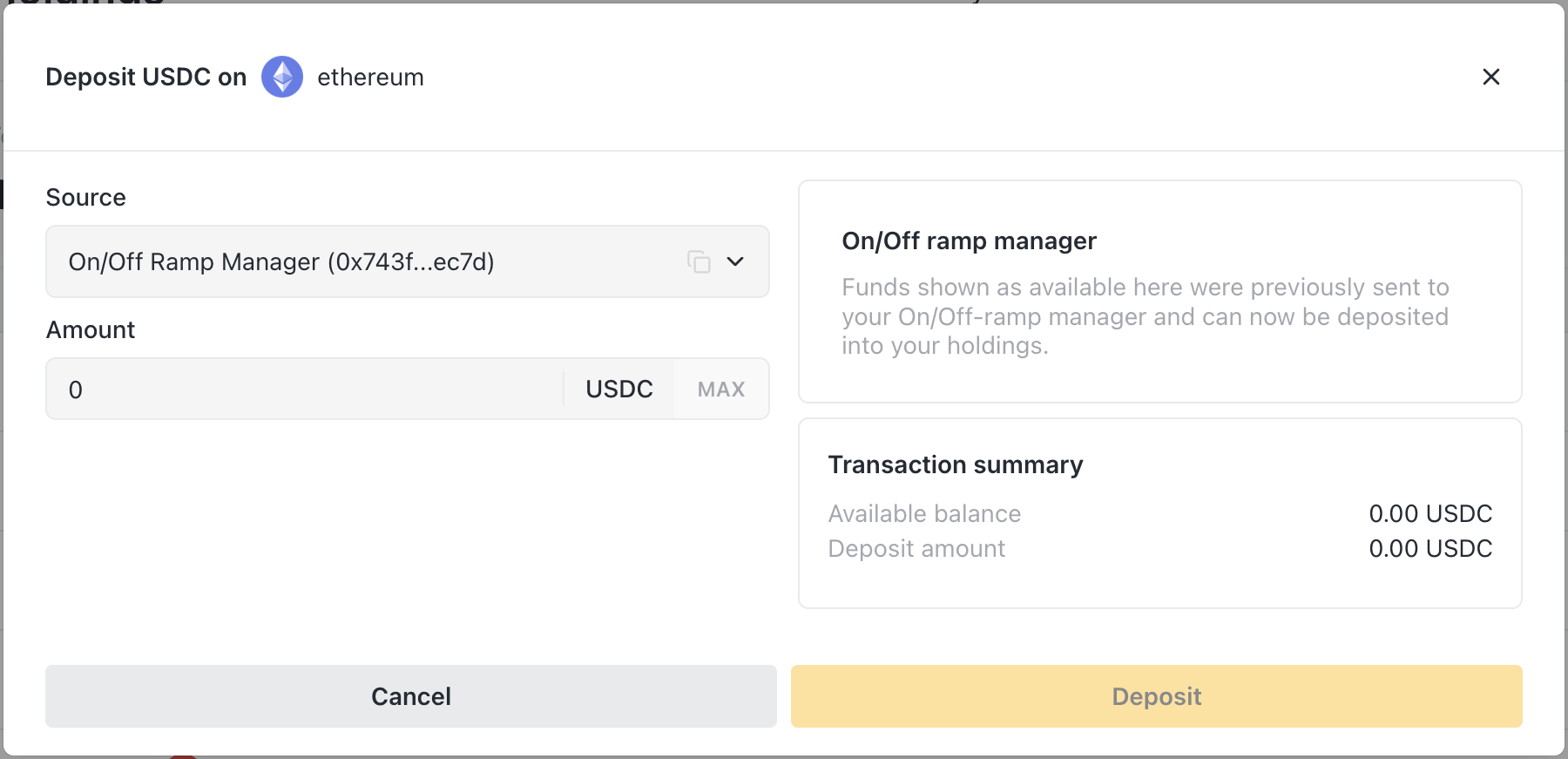
When you need more liquidity:
- Navigate to Holdings
- Find the asset/network you need
- Click Actions → Deposit
- Choose source:
- Connected wallet - From your Balance Sheet Manager wallet
- On/Off-Ramp Manager - From accumulated on-ramp funds
- Enter amount
- Confirm transaction
Withdrawing from holdings
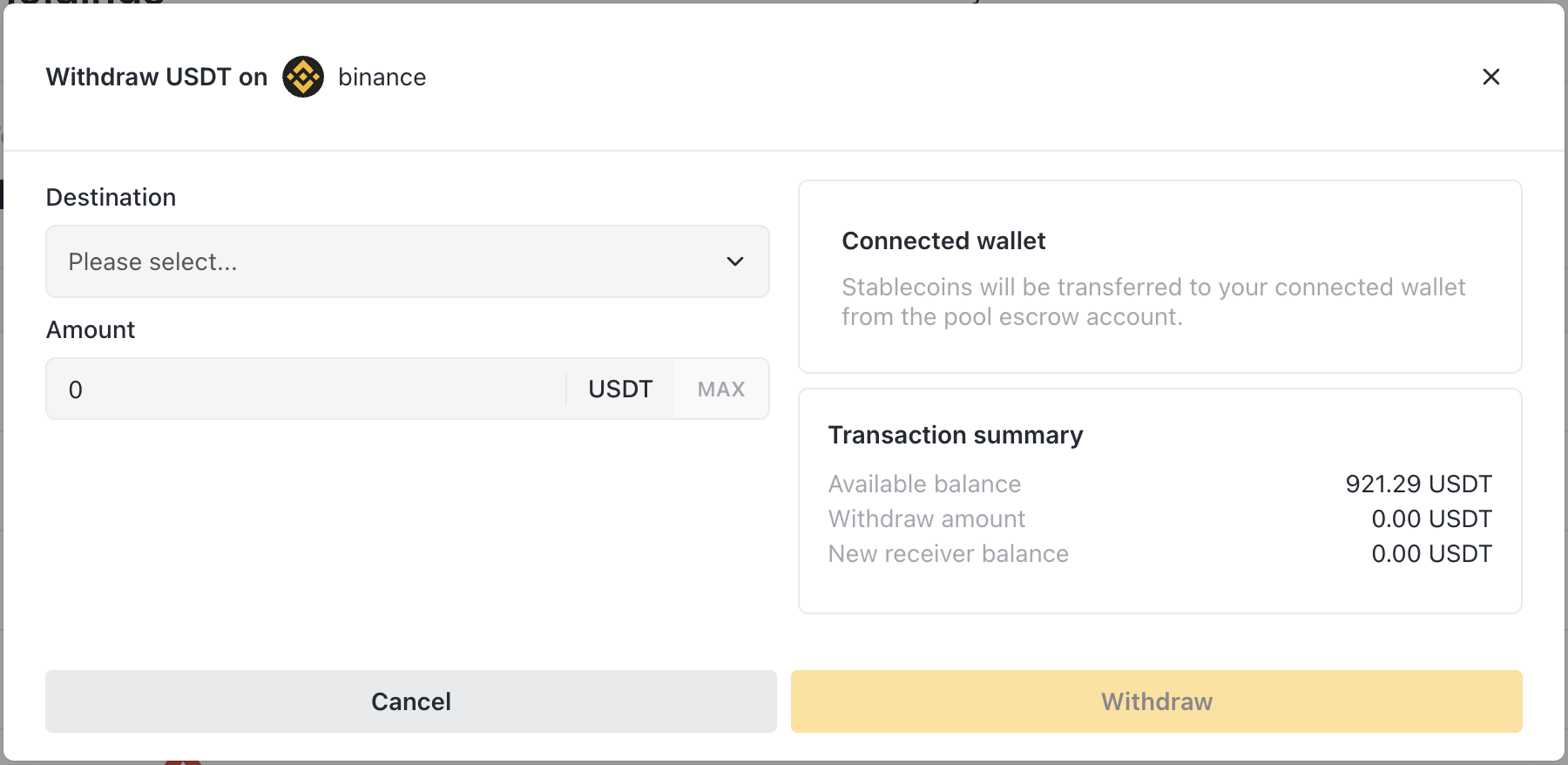
When you need to move funds out:
- Navigate to Holdings
- Find the asset/network
- Click Actions → Withdraw
- Choose destination:
- Connected wallet - To your Balance Sheet Manager wallet
- Relayer addresses - To pre-configured off-ramp receivers
- Enter amount
- Confirm transaction
Warning: Ensure sufficient holdings remain for pending redemptions before withdrawing.
Matching holdings to redemptions
Before processing redemptions, verify you have enough:
Example:
- Investor redeeming 10,000 shares
- Current price: $11.00
If holdings are insufficient:
- The Revoke Shares modal shows a warning
- You can click to deposit more funds
- Process redemption after funding
Multi-network liquidity
Your pool likely operates across multiple networks, each with separate holdings.
The challenge
- Investor on Base redeems 100,000 USDC
- Base holdings only have 50,000 USDC
- Arbitrum holdings have 200,000 USDC
You can't directly move funds between networks through the app.
Solutions
Option 1: Deposit more to the needed network
- Transfer USDC to your wallet on Base
- Deposit to Base holdings
- Process the redemption
Option 2: Rebalance via bridge
- Withdraw from Arbitrum holdings to your wallet
- Bridge USDC from Arbitrum to Base (external bridge like Across, Stargate)
- Deposit to Base holdings
- Process the redemption
Option 3: Partial redemption
- Approve and process only what Base can cover (50,000)
- Remaining amount stays pending
- Fund and process the rest later
Proactive rebalancing
Monitor holdings across networks and rebalance before you need to:
- Weekly liquidity review
- Move funds to networks with upcoming redemptions
- Keep buffer on each network
On/Off-Ramp integration
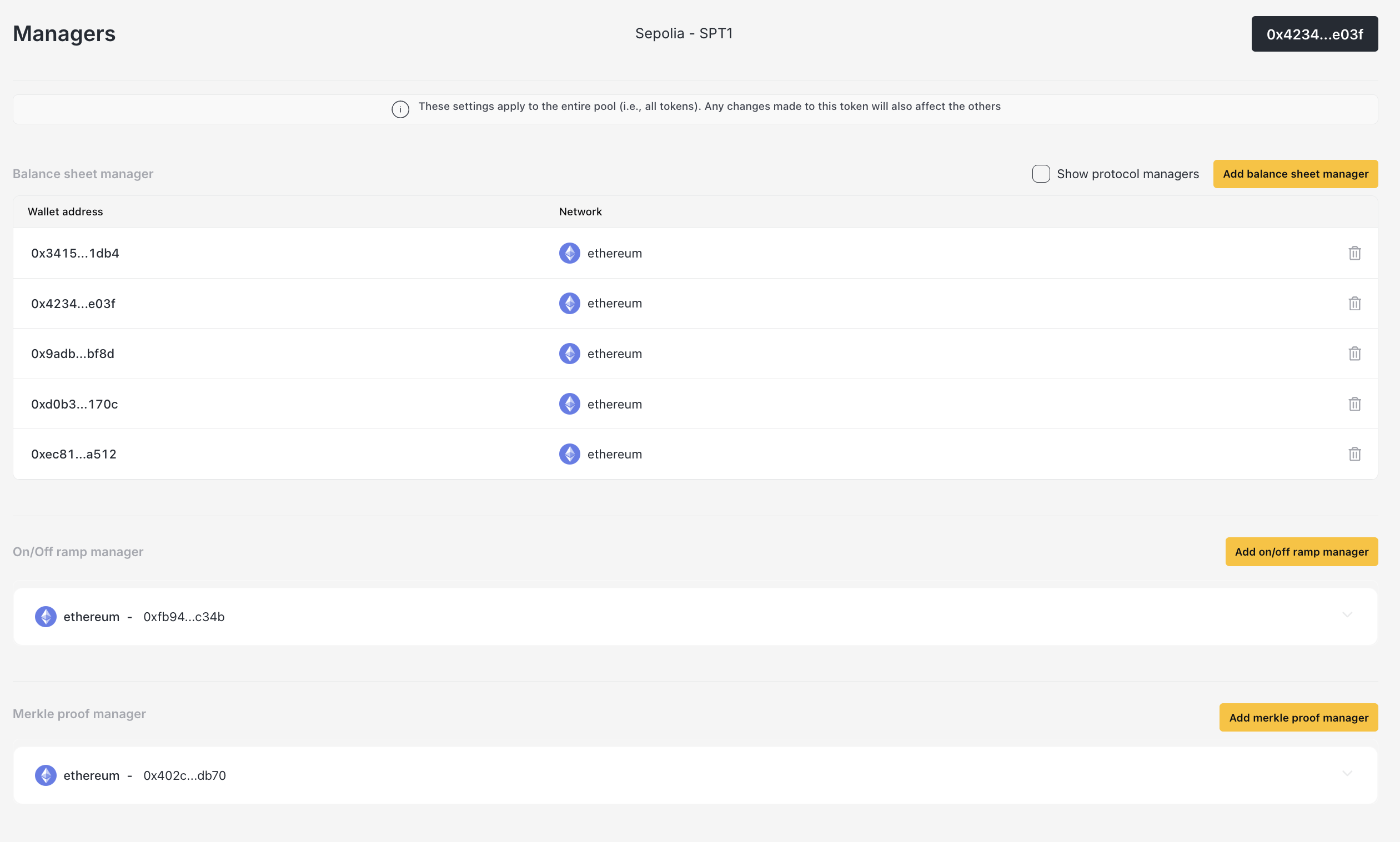
For institutional funds with fiat integration, On/Off-Ramp Managers handle the bridge between crypto and traditional finance.
What On/Off-Ramp Managers do
- Receive on-ramp funds - USDC from banking partners converting fiat
- Send off-ramp funds - USDC to exchanges/banks for fiat conversion
- Control access - Only authorized relayers can trigger withdrawals to approved addresses
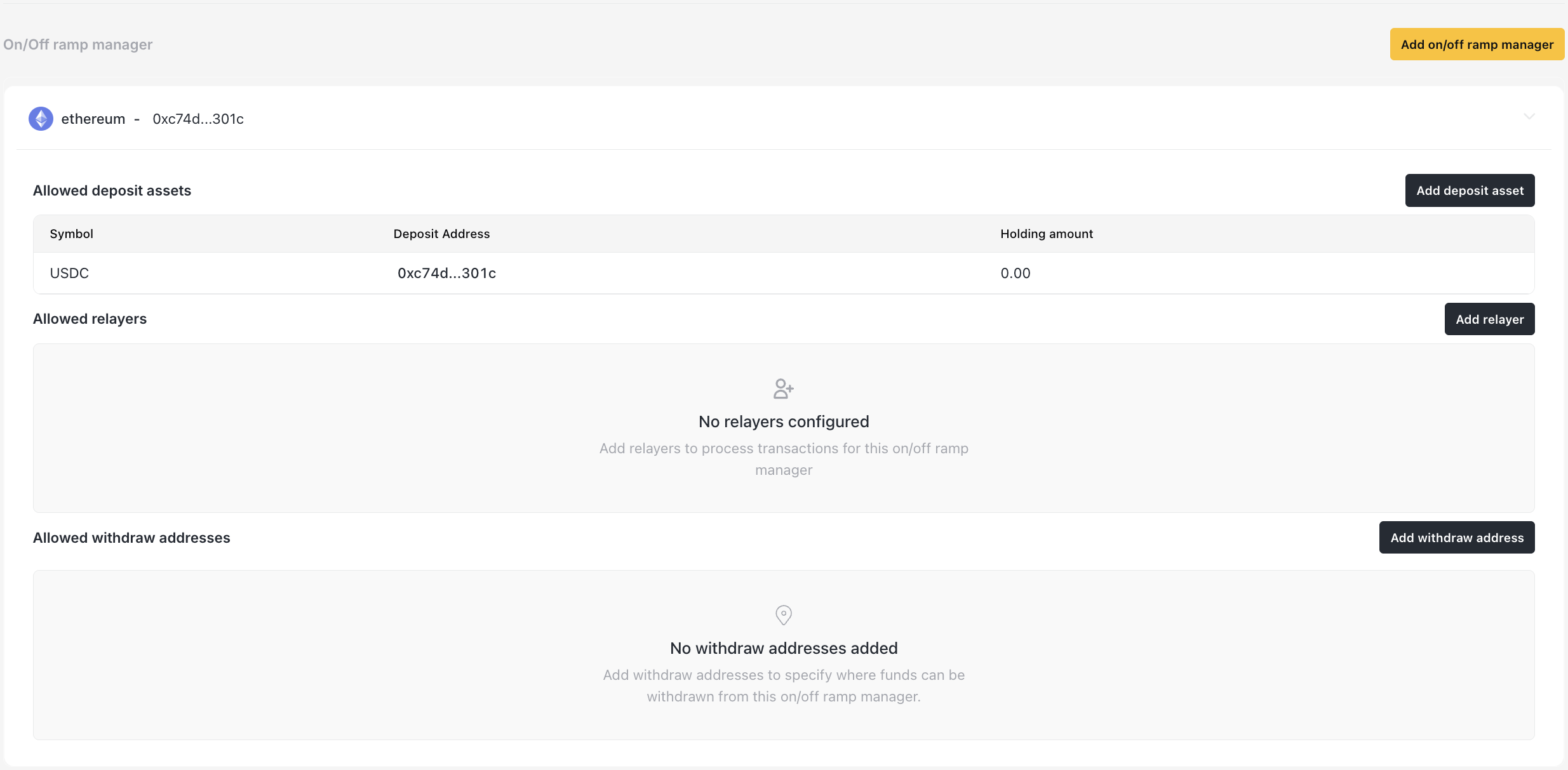
Setting up On/Off-Ramp
- Navigate to Managers
- Click Add on/off ramp manager
- Select network
- Deploy the manager contract
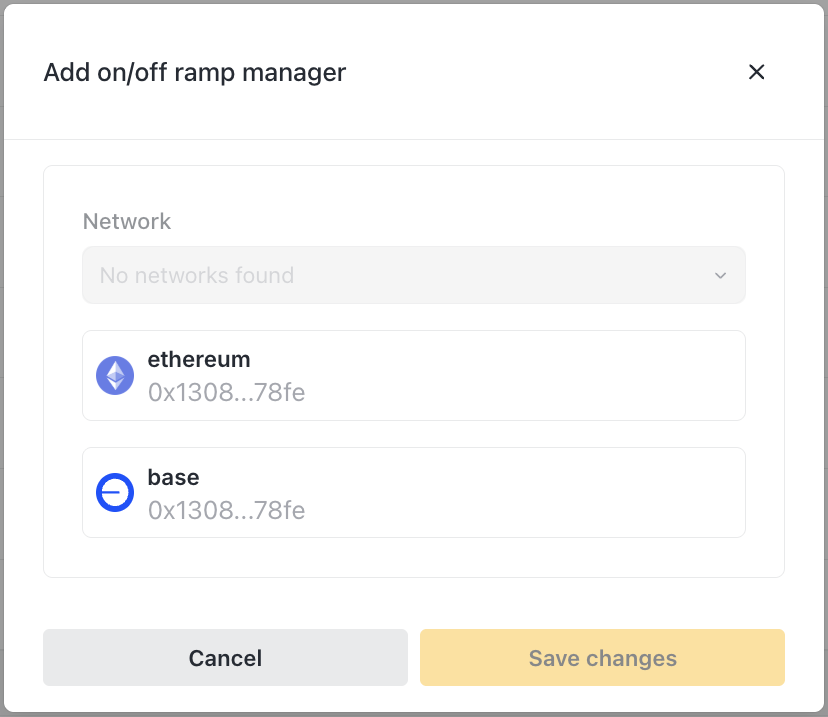
Then configure:
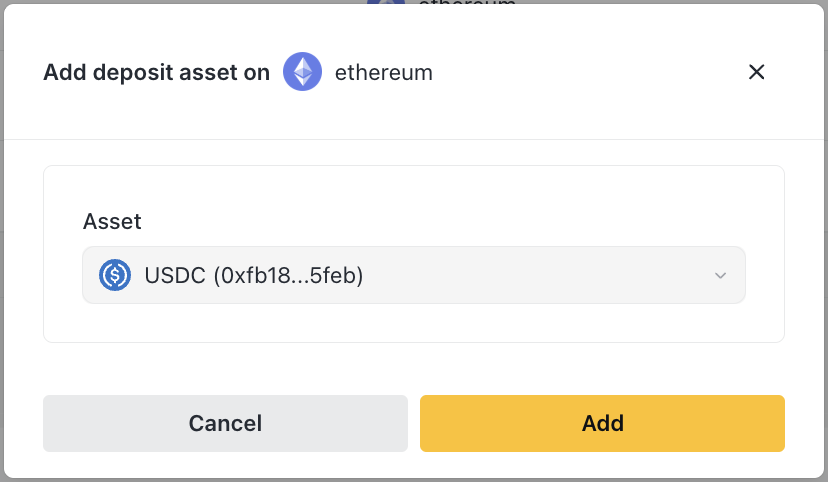
Deposit assets - What the manager can receive
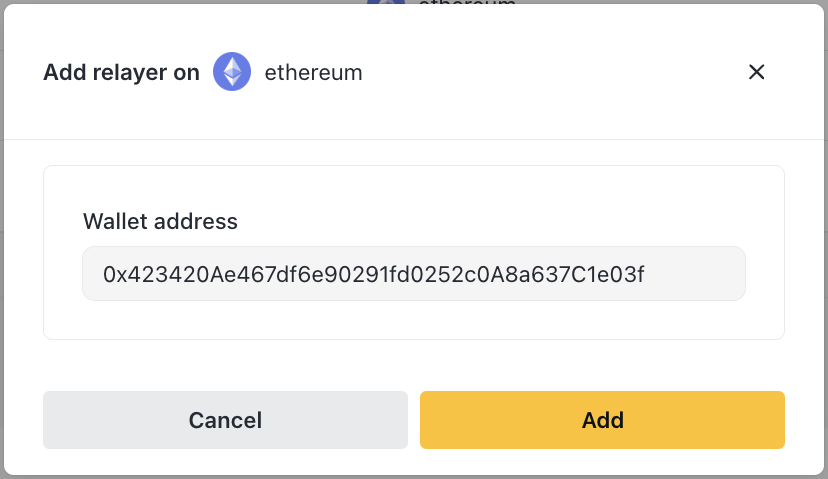
Relayers - Who can trigger withdrawals
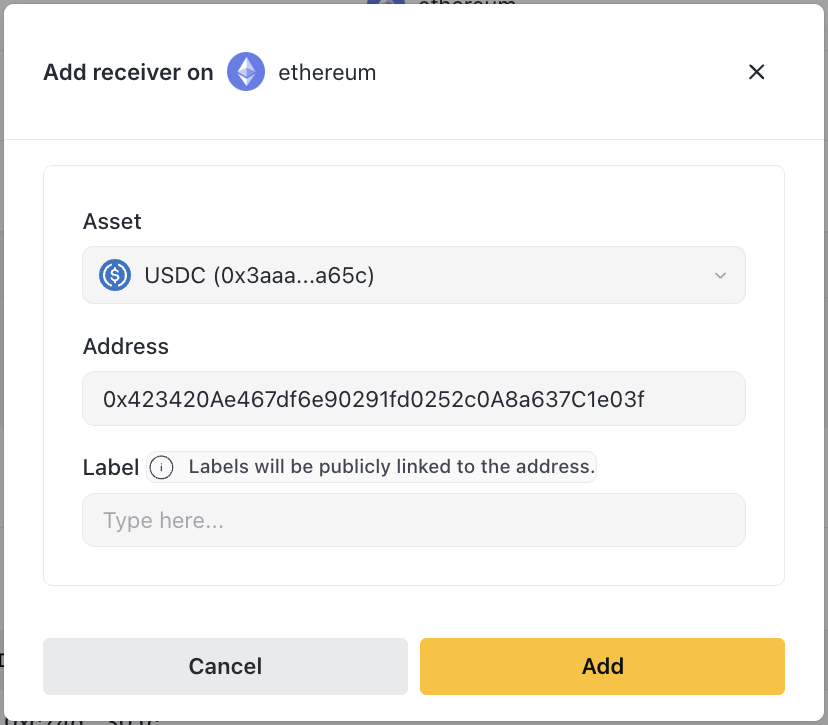
Receivers - Pre-approved withdrawal destinations
On-ramp flow (fiat → pool)

In the app:
- See Manager balance in the deposit modal
- Select "On/Off-Ramp Manager" as source
- Deposit to holdings
Off-ramp flow (pool → fiat)

In the app:
- Withdraw from Holdings
- Select a pre-configured receiver (e.g., "Circle Off-ramp")
- Relayer executes the withdrawal
Liquidity planning
How much to keep in holdings?
Consider:
- Pending redemptions - Must cover these
- Expected redemptions - Based on historical patterns
- Buffer - Extra cushion for unexpected requests
Rule of thumb: Keep 10-20% of NAV in liquid holdings, more if redemption activity is high.
Monitoring
Daily:
- Check holdings balance vs pending redemptions
- Verify you can cover any approved redemptions
Weekly:
- Review holdings across all networks
- Plan any rebalancing needed
- Check On/Off-Ramp Manager balances
Alerts
Set up monitoring for:
- Holdings dropping below threshold
- Large redemption requests
- On/Off-Ramp Manager accumulating funds
Related
- Investor Management - Processing redemptions
- Token Management - Calculating redemption payouts