Investor management
The complete journey from onboarding an investor to processing their redemption.
Overview
Every investor goes through a lifecycle:

As an issuer, you control each step, ensuring compliance, accurate pricing, and smooth operations.
Phase 1: Onboarding
Before investors can access your pool, they need to be verified and whitelisted.
Why onboarding matters
- Compliance - KYC/AML requirements for regulated offerings
- Access control - Only approved investors can hold your tokens
- Audit trail - Record of who can participate
The onboarding flow
Offchain (your responsibility):
- Investor applies to invest
- Investor completes KYC/KYB with your verification provider
- Provider confirms eligibility (accredited investor, jurisdiction, etc.)
- You collect their wallet address
Onchain (in the app):
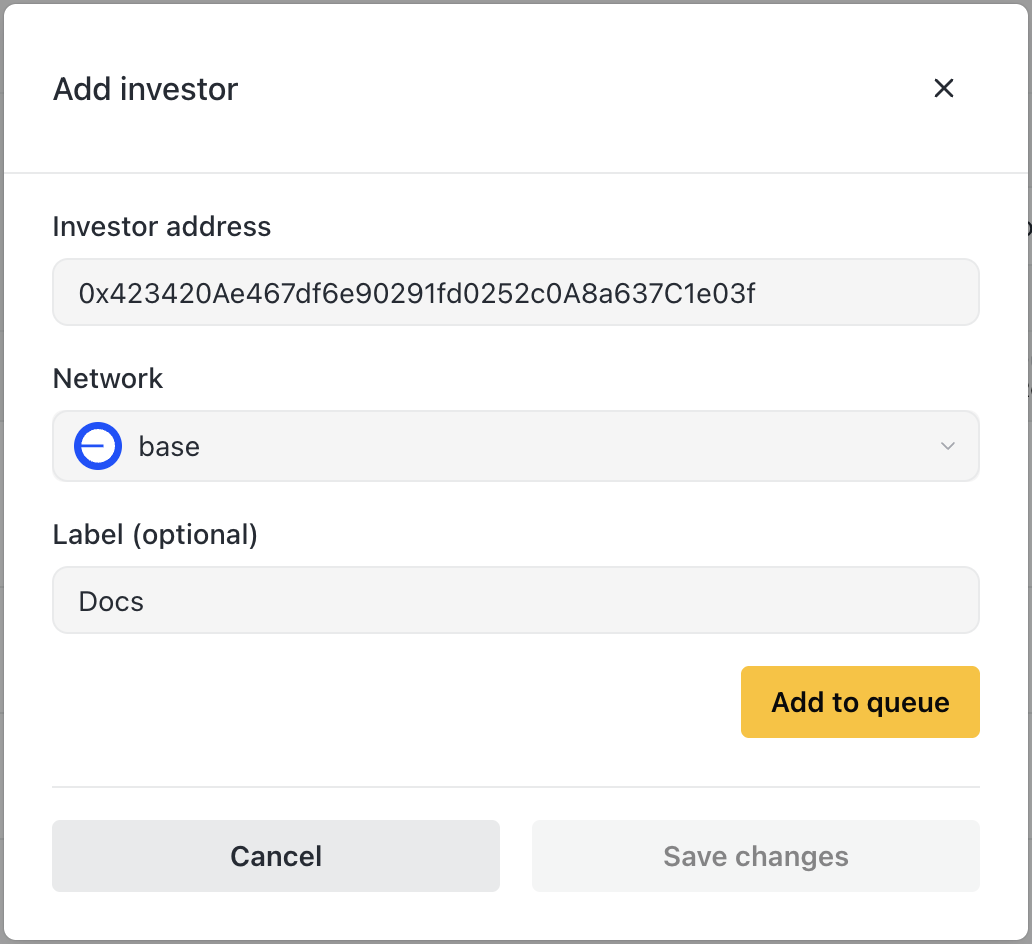
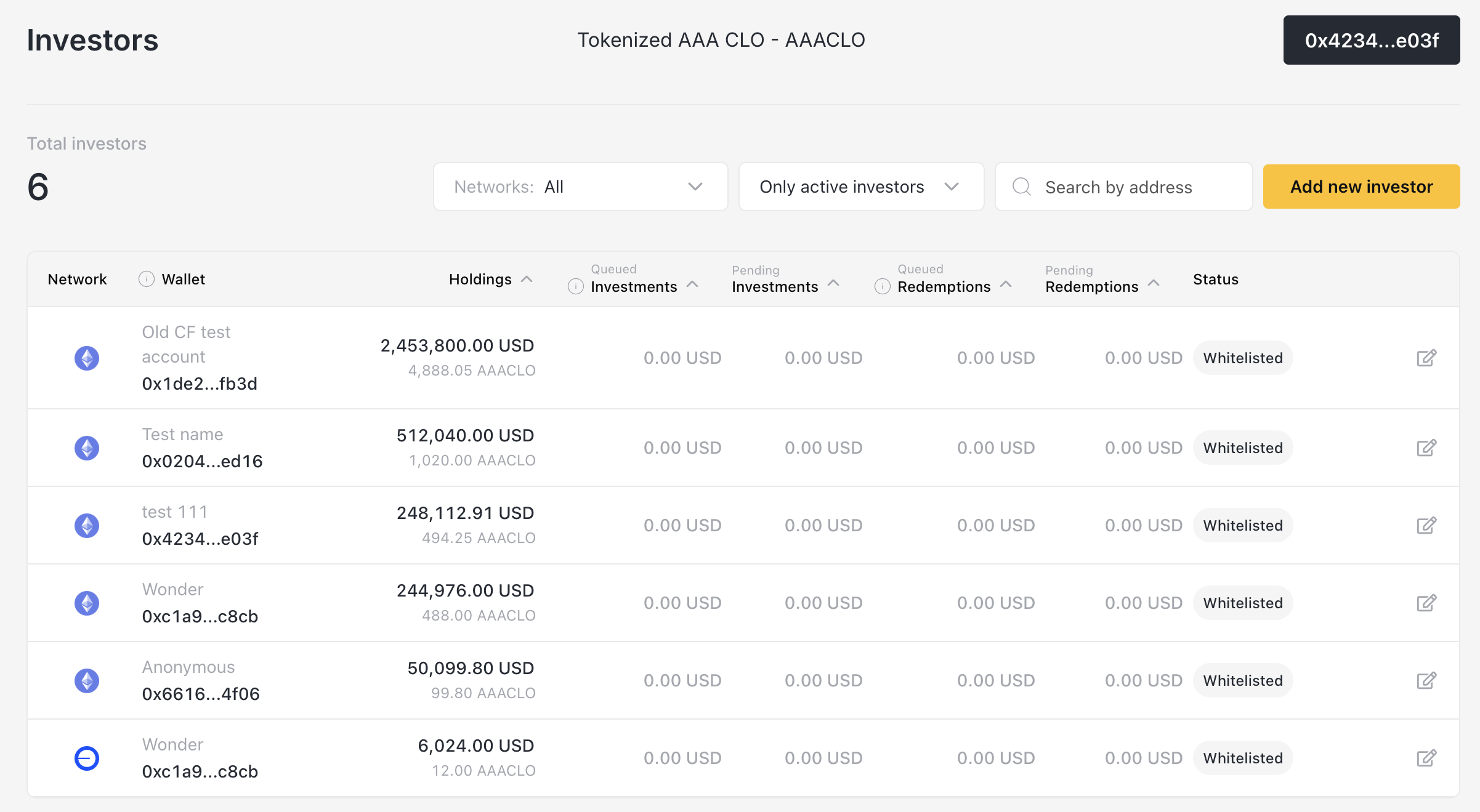
- Navigate to Investors
- Click Add new investor
- Enter:
- Wallet address
- Network (Base, Arbitrum, etc.)
- Label (e.g., "Acme Capital" for easy identification)
- Save changes
Multi-network whitelisting
Investors must be whitelisted separately for each network they want to use.
Example: If an investor wants to deposit on both Base and Arbitrum:
- Add them once for Base
- Add them again for Arbitrum
This gives you granular control. An investor could be approved for one network but not another.
Communicating with investors
After whitelisting, share:
- The vault contract address for their network
- Any minimum investment requirements
- Instructions for connecting their wallet
Phase 2: Investing
Once whitelisted, investors can deposit funds.
What happens when an investor deposits
- Investor connects to your vault on their chosen network
- Investor approves the asset (USDC, etc.) for the vault contract
- Investor submits their deposit amount
- Order appears in your app under Orders → Pending Investments

Your role: Approve and issue
Step 1: Review pending investments
- Check investor addresses
- Verify amounts
- Note which network/asset
Step 2: Update NAV
- Ensure pricing is current before issuing shares
- See Token Management
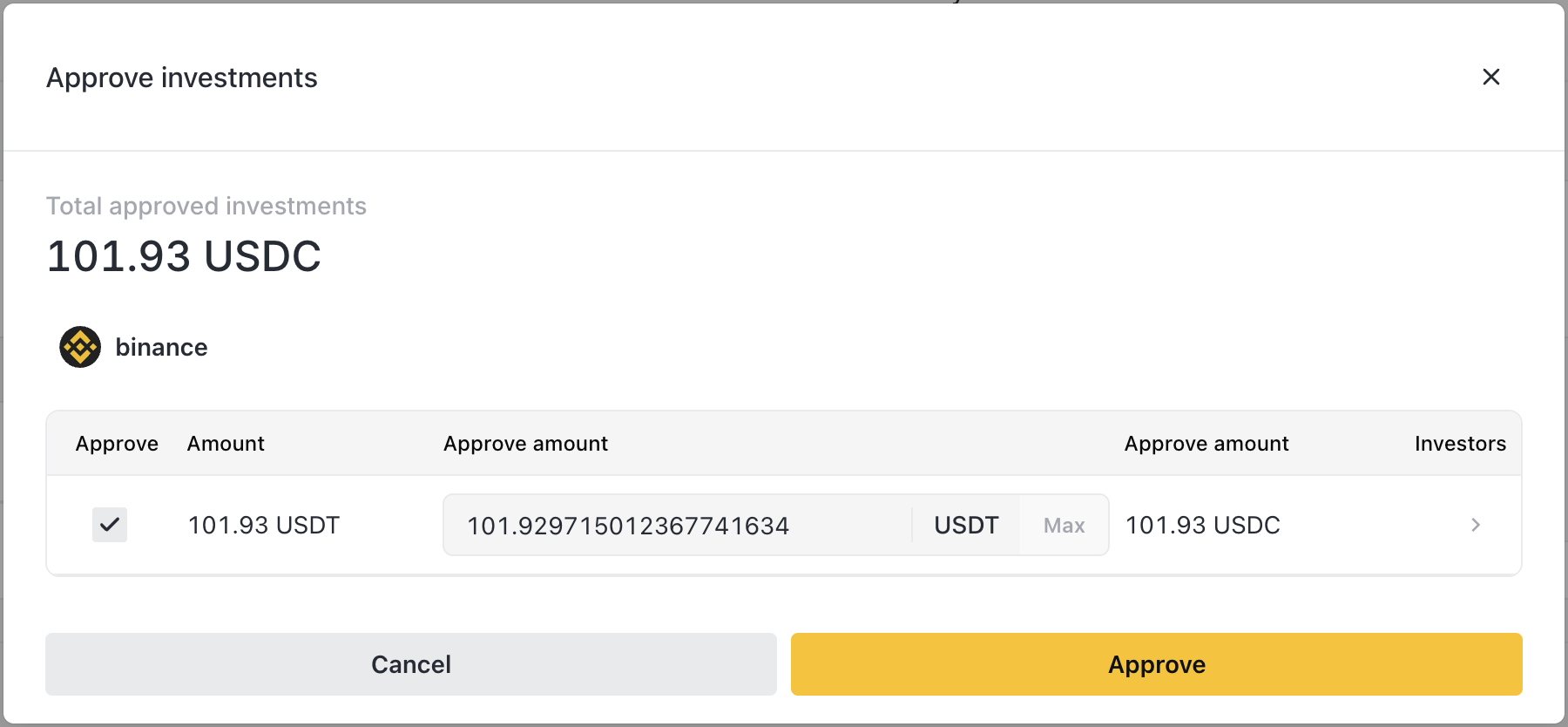
Step 3: Approve
- Navigate to Orders
- Click Approve in Pending Investments
- Select orders to approve
- Submit transaction
Step 4: Issue shares
- Click Issue in Approved Investments
- Confirm the price per share
- Submit transaction
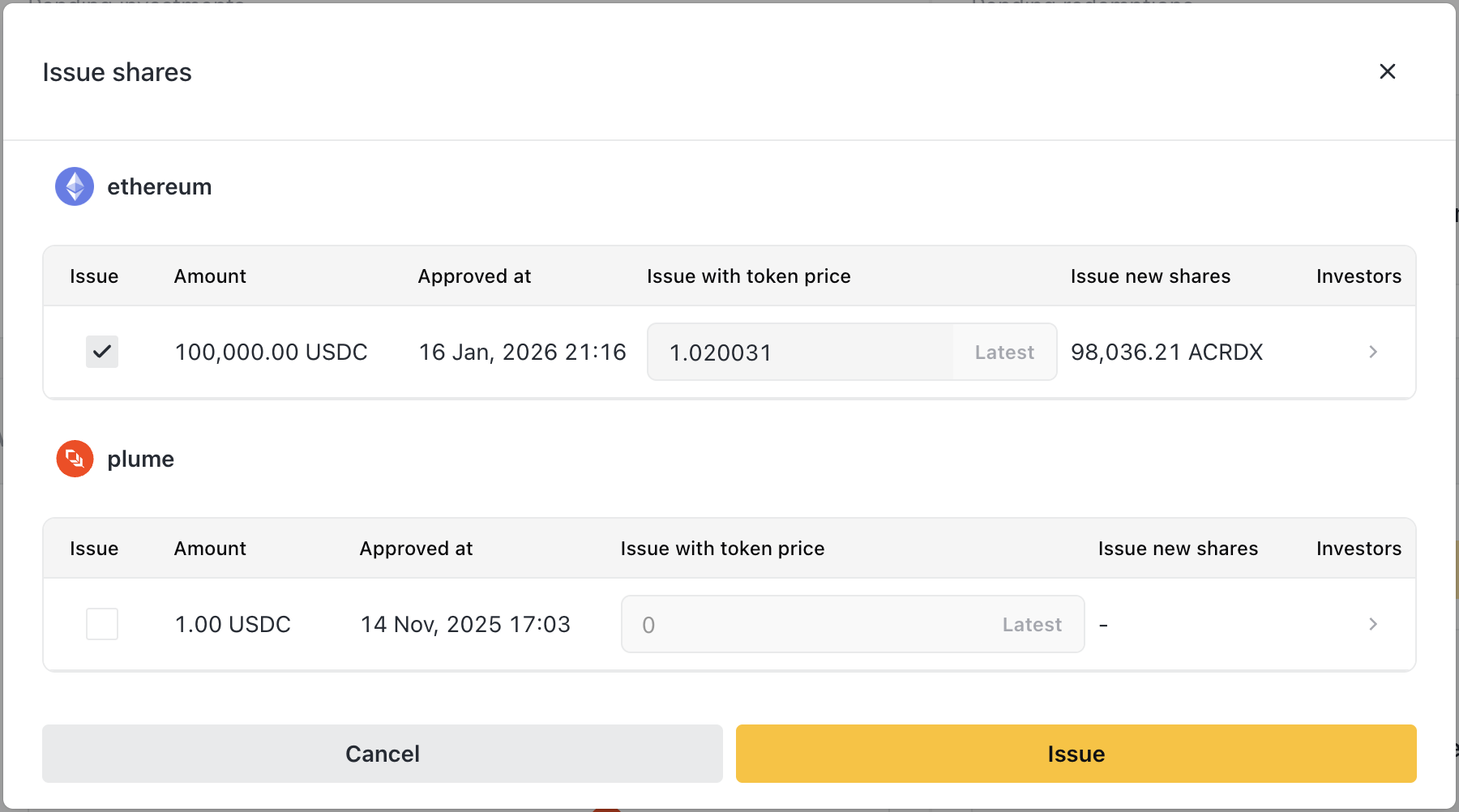
Result: Investor receives share tokens in their wallet.
Share calculation
Example:
- Investor deposits 100,000 USDC
- Current price: $10.00
Async vs Sync vaults
Async vaults (ERC-7540): You control when shares are issued. Deposits queue until you approve.
Sync-Invest vaults (ERC-4626): Shares are issued instantly when investors deposit. Less control, but better UX for liquid strategies.
Phase 3: Holding
While investors hold your tokens, their value accrues based on NAV updates.
What investors experience
- Token balance stays constant
- Token value increases as you update NAV
- Portfolio view shows current value in their wallet
Your ongoing responsibilities
- Update NAV regularly to reflect accurate value
- Monitor investor activity for any issues
- Manage compliance - freeze investors if needed
Freezing an investor
If you need to temporarily block an investor:
- Navigate to Investors
- Click on the investor row
- Toggle Freeze
- Confirm
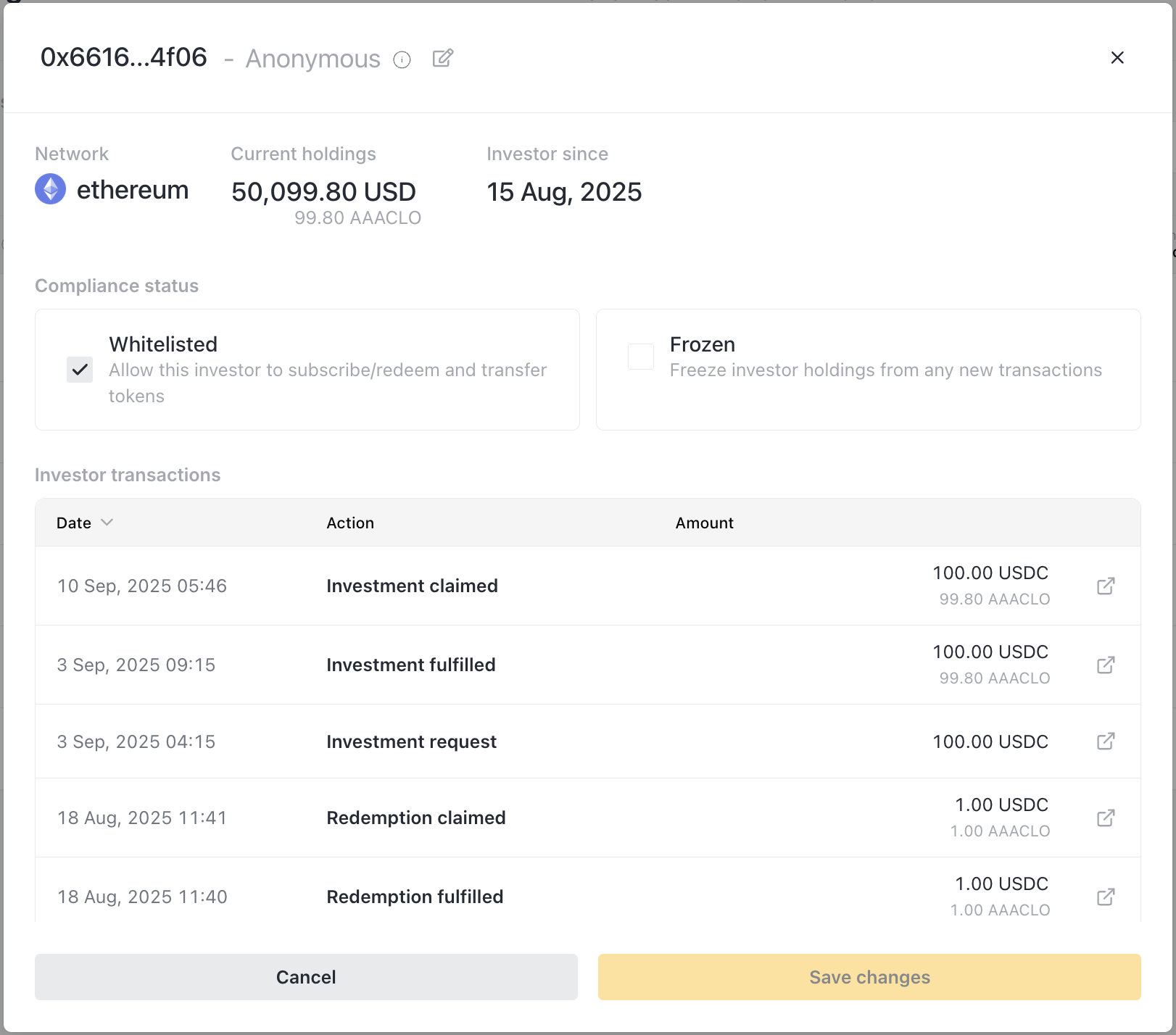
Frozen investors:
- Keep their existing holdings
- Cannot make new deposits
- Cannot submit redemption requests
- Can be unfrozen anytime
Use for: compliance holds, suspicious activity, pending investigations.
Phase 4: Redeeming
When investors want to exit, they submit redemption requests.
What happens when an investor redeems
- Investor submits redemption request for X shares
- Order appears in your app under Orders → Pending Redemptions
- You approve the redemption
- You revoke shares and send payout
Your role: Approve and pay out
Step 1: Review pending redemptions
- Check shares being redeemed
- Calculate estimated payout
- Verify sufficient holdings balance
Step 2: Check liquidity
- Navigate to Holdings
- Ensure you have enough assets to cover the payout
- If not, deposit more before proceeding
Step 3: Update NAV
- Ensure pricing is current for fair payout
- See Token Management
Step 4: Approve
- Navigate to Orders
- Click Approve in Pending Redemptions
- Select orders to approve
- Submit transaction
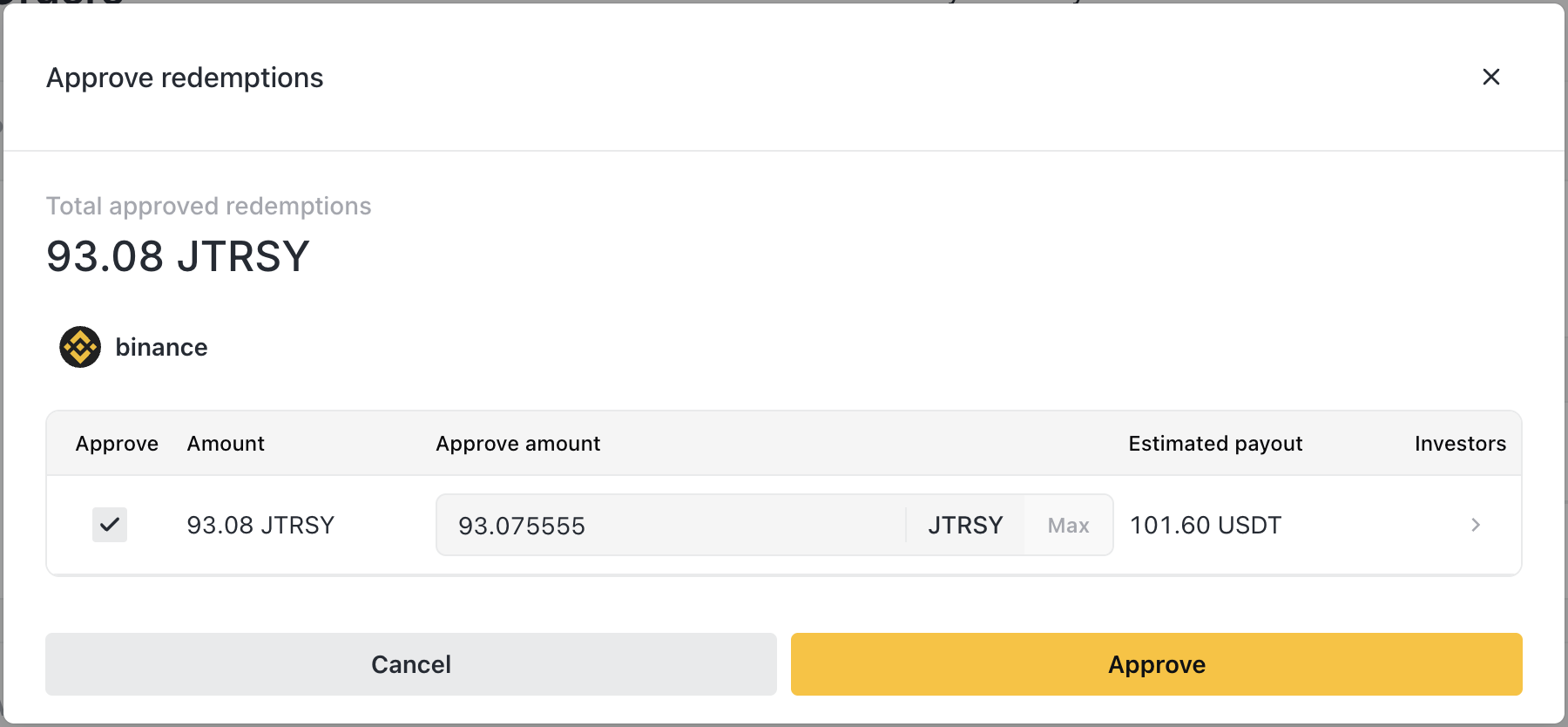
Step 5: Revoke shares
- Click Revoke in Approved Redemptions
- Confirm the price per share
- Submit transaction
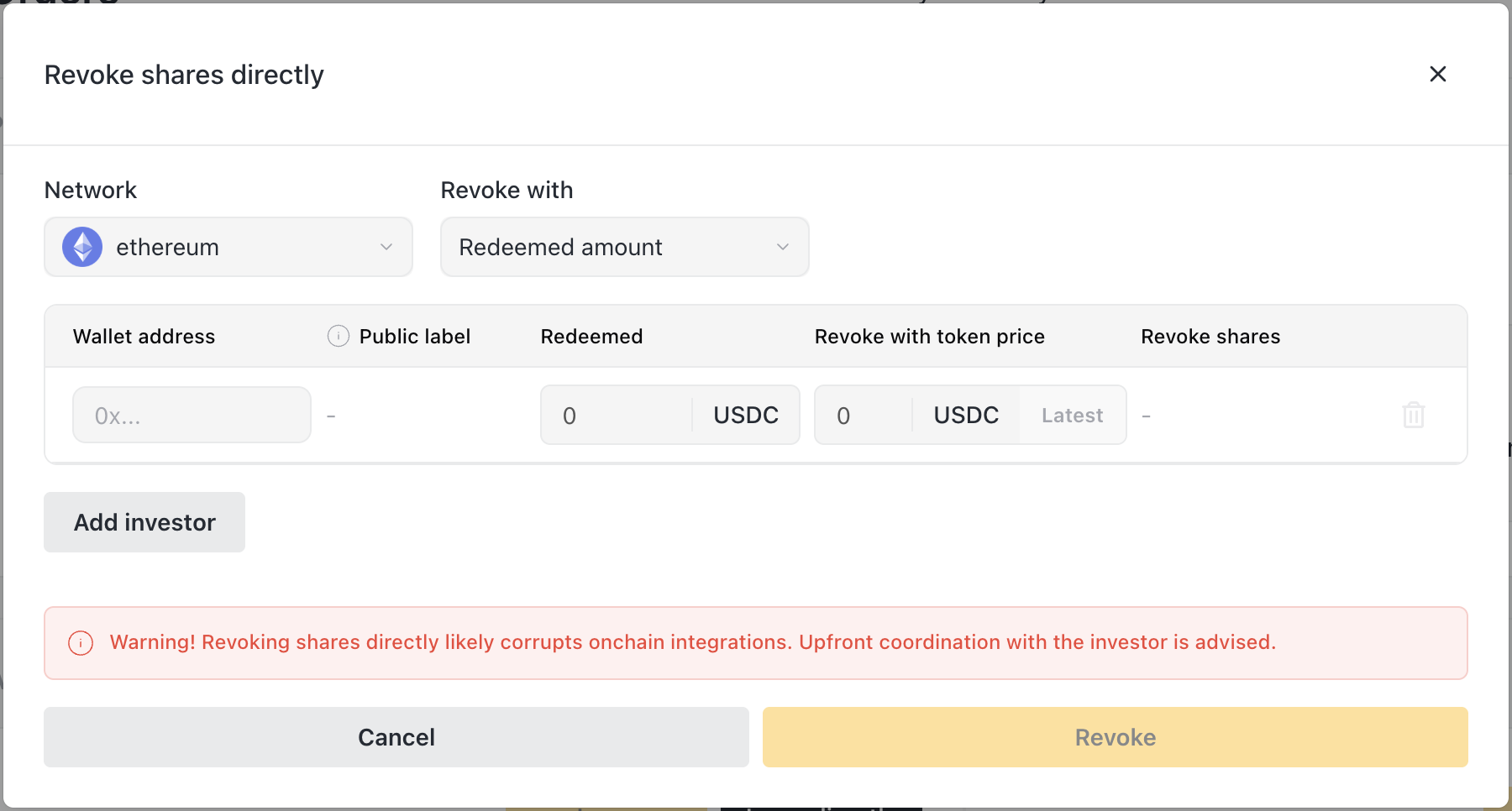
Result: Shares are burned, investor receives payout.
Payout calculation
Example:
- Investor redeems 5,000 shares
- Current price: $11.00
Partial redemptions
Investors can redeem part of their holdings:
- Redeem 5,000 of 10,000 shares
- Keep remaining 5,000 shares
- Continue holding and can redeem more later
Phase 5: Exit
When an investor fully redeems, they exit the pool.
Full redemption
- All shares are burned
- Full payout sent
- Investor's token balance goes to zero
- They remain whitelisted (can invest again later)
Removing an investor
If you want to fully remove access:
- Ensure all pending orders are processed
- Navigate to Investors
- Click on the investor row
- Click Remove from whitelist
- Confirm
Removed investors:
- Keep any existing holdings (if not fully redeemed)
- Cannot make new deposits
- Cannot submit new redemption requests (but pending ones still process)
Complete example
Acme Capital invests and later redeems:
| Step | Action | Result |
|---|---|---|
| Day 1 | You whitelist Acme on Base | Acme can now deposit |
| Day 2 | Acme deposits 100,000 USDC | Pending investment appears |
| Day 3 | You update NAV ($10/share), approve, issue | Acme receives 10,000 shares |
| Day 30 | NAV grows, price now $10.50 | Acme's holdings worth $105,000 |
| Day 60 | Acme requests redemption of 5,000 shares | Pending redemption appears |
| Day 61 | You update NAV ($11/share), approve, revoke | Acme receives 55,000 USDC, keeps 5,000 shares |
| Day 90 | Acme redeems remaining 5,000 shares | Acme receives 55,000 USDC, fully exited |
Handling edge cases
Investor wants to transfer to another wallet
Direct transfers may be restricted by your token settings. Options:
- Investor redeems from old wallet
- Whitelist new wallet
- Investor deposits from new wallet
Investor lost access to their wallet
Work with the investor on recovery. You cannot move tokens on their behalf. They must have wallet access.
Large redemption exceeds holdings
Options:
- Deposit more funds to holdings
- Process partial redemption
- Coordinate with investor on timing
Related
- Token Management - Pricing investments and redemptions
- Distribution Management - Ensuring you can pay redemptions